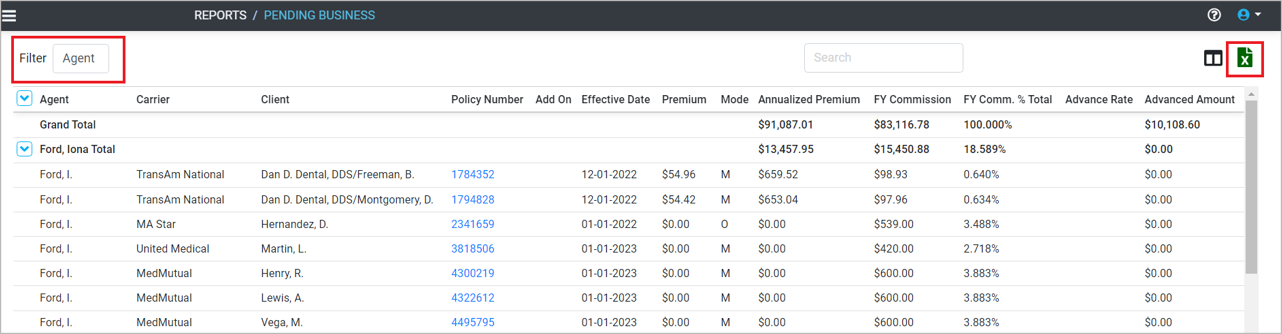
The Pending Business report displays annualized premium and first year commission on policies in Pending status. Pending policies are still in underwriting and have not paid an initial commission. The report can be filtered by Agent or Carrier. Only policies with a comp plan linked to them are included in the report.
Click the attachment below for a sample Pending Business report.
Pending commissions are those that cannot be automatically linked to a policy and are listed in the Comp Status column as PENDING. Usually, a commission cannot match to a policy because policy data is missing or incorect, or the policy does not ...
There are multiple reports to help you calculate, project, analyze and track premium and commission for your policies. Pending Business – displays annualized premium and first year commission on policies in underwriting. Analytics – summary of ...
Reposting is the process of updating multiple policies in the application in order to match multiple commissions at one time from the posting page. Reposting Process Go to the Main Menu. Click Commissions. Click a statement date with multiple Pending ...
The Posting Page is a list of commissions for a particular statement. Commissions are categorized by Comp Status. A commission is Matched, Pending, or Igored. Go to Main Menu and select Commissions. Click on a statement date. The commissions can be ...
The quickest way to get started is to download the Getting Started Quickly brochure at the bottom of the page. The easiest way to begin using the application is gathering information about your policies and your compensation. Getting Information on ...